
Contacts in WinLion Casino
WinLion Casino keeps customer support running 24/7. Main contact methods include live chat, email, and a contact form on the website. Agents work in English and French, which matches the needs of players in Canada.
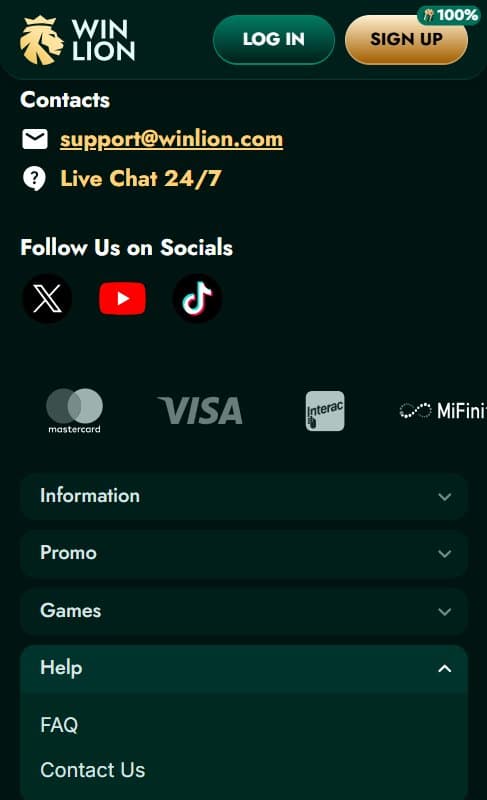
Live chat opens instantly from the bottom corner on every page. Connection normally takes less than a minute. During quiet hours it happens in seconds; busier periods add only a short delay. Agents start conversations directly — no bots appear first.
Email suits detailed questions or cases with attached files. Replies usually arrive within hours for straightforward issues. More involved matters receive full responses the same day or early next morning. Every point in the message gets addressed clearly.
Live Chat: How It Functions
The chat icon stays visible on desktop and mobile. A brief form asks for name and email if the account is not active. An actual agent joins almost immediately after submission. Sessions move quickly for simple problems.
Agents handle many different requests. They explain bonus conditions, track verification progress, assist with document submission, and resolve login or game errors. Peak traffic causes minor slowdowns, but the flow remains steady overall.
Frequent Topics in Live Chat Sessions
Verification comes up regularly. Agents list required items — passport or driver’s license, recent bill showing address, payment proof — and state why each document matters under the Anjouan license rules. Clear instructions reduce confusion.
Bonus questions appear often. Agents detail wagering amounts, game weighting percentages, time limits, and activation conditions. Exact wording from the promotions page gets quoted when needed to prevent misunderstandings.
Payment inquiries receive precise guidance. Agents check deposit or withdrawal status, outline limits (daily, weekly, monthly), and recommend alternatives when a method does not work. Interac, cards, and crypto options all get covered well.
- Account lockouts: Password reset steps and security verification explained in detail.
- Withdrawal holds: Processing timelines and verification requirements described openly.
- Game malfunctions: Solutions for loading failures, balance mismatches, or RNG questions with provider links supplied.
- Responsible gambling setup: Step-by-step help for deposit caps, session timers, cooling-off periods, or full self-exclusion.
- Promo code failures: Troubleshooting entry issues or eligibility checks done right away.
These routine matters get resolved efficiently. Fast handling stops small problems from turning serious.
Email and Contact Form Explained
[email protected] works best when extra explanation or proof files are involved. Transaction IDs, screenshots, or scanned documents go along with the message. Replies cover every detail mentioned, with follow-ups sent if anything remains unclear.
The website contact form has dedicated fields: name, email, subject, message body. This format routes inquiries to the correct department faster. It fits well for players who write everything out before pressing send. Live chat covers urgent needs; email manages detailed cases. Social media pages post news and promotions but direct support stays inside official channels.
FAQ and Self-Service Tools
The FAQ section answers dozens of common questions without any contact required. Categories include registration steps, deposit/withdrawal procedures, bonus rules, games information, and basic troubleshooting. Instructions stay short and practical.
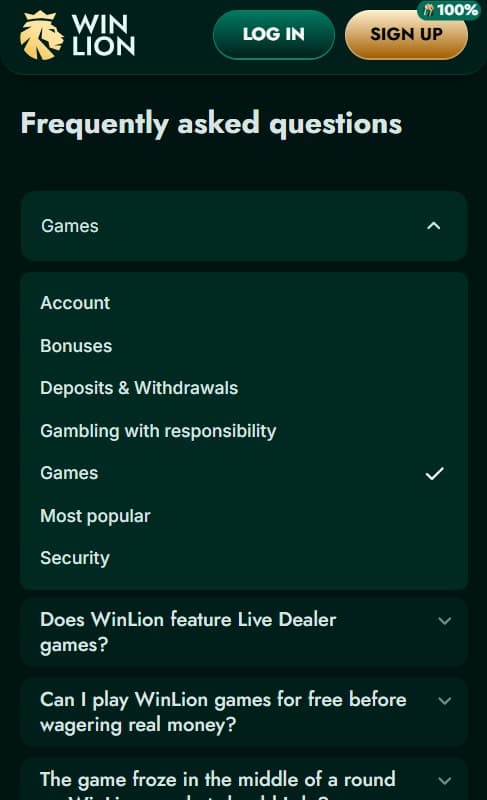
Responsible gambling links sit in the footer. Deposit limits, time-out options, self-exclusion periods, and external support contacts (Gambling Help, similar organizations) appear there. Agents refer to this section during appropriate chats. These self-help features cut down unnecessary support requests. Many basic issues get fixed in minutes without waiting for an agent.
Advantages for Players in Canada
French-language support aligns with official Canadian usage. Agents handle both languages smoothly, which keeps discussions about accounts, payments, or security straightforward.
Assistance arrives at any hour without exception. Local payment methods such as Interac receive strong support. Agents explain these options clearly and fix related issues effectively.
Practical Advice for Better Support Results
Prepare account number, relevant transaction details, and screenshots ahead of time. Having everything ready shortens the interaction considerably. Select live chat for fast answers and email for complicated matters. Choosing the correct method improves speed and outcome. Include concrete facts in messages — exact time the issue began, previous actions taken, any error codes displayed. Specific information leads to quicker fixes.
Scan the FAQ page first. Many frequent questions already have clear answers posted there. Ask for escalation or additional details when the first reply falls short. Senior staff step in for harder cases upon request. Mention French preference at the beginning of a chat if needed. Routing adjusts immediately.
Frequently asked questions
ᐈ How can I close my WinLion account?
✅ Contact Customer Support through live chat or email. A team member will check your identity. They will guide you safely through the steps. After closing, your balance gets paid out. Your personal data is kept according to GDPR rules. You can ask for transaction history in writing if needed. WinLion handles every closure quietly and professionally.
ᐈ I received my WinLion bonus, but the wagering progress isn’t updating. Why?
✅ If wagering progress looks stuck, it is often because of game rules. Some games count only partly or not at all toward the requirement. Table games or jackpot slots are sometimes excluded. Check the full list on the Bonus Terms page. Make sure your bet is high enough and the game is allowed. If it still looks wrong, contact Customer Support. They are available 24/7 and will check your account fast.
ᐈ I can’t open a game on WinLion. What should I do?
✅ Refresh your browser first. Clear the cache. Check your internet is stable. Update your browser to the latest version. Try switching from desktop to mobile or the other way. WinLion works on most browsers, systems, and phones. Short problems can happen during game updates. If it still does not load, contact Customer Support right away. They will look into it and fix it quickly.